 SurfSense Docs
Choose which sources to use
Tick the sources chat, Studio and the agent work from, one at a time or a folder at a time
Every row in Sources has a tick box. Chat answers from the ticked sources, Studio makes things from them, and the agent may work on them. Each message uses the ticks on screen when you send it.
Untick a source
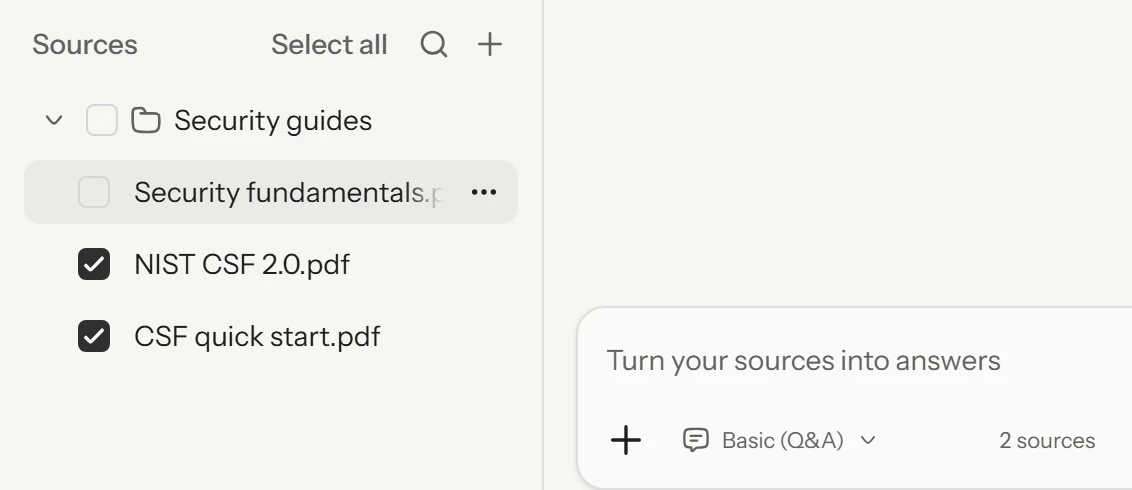
Untick a source to leave it out. Its folder's box clears, since not everything in it is ticked any more, and the chat box counts what's left, such as 2 sources.
Tick a whole folder
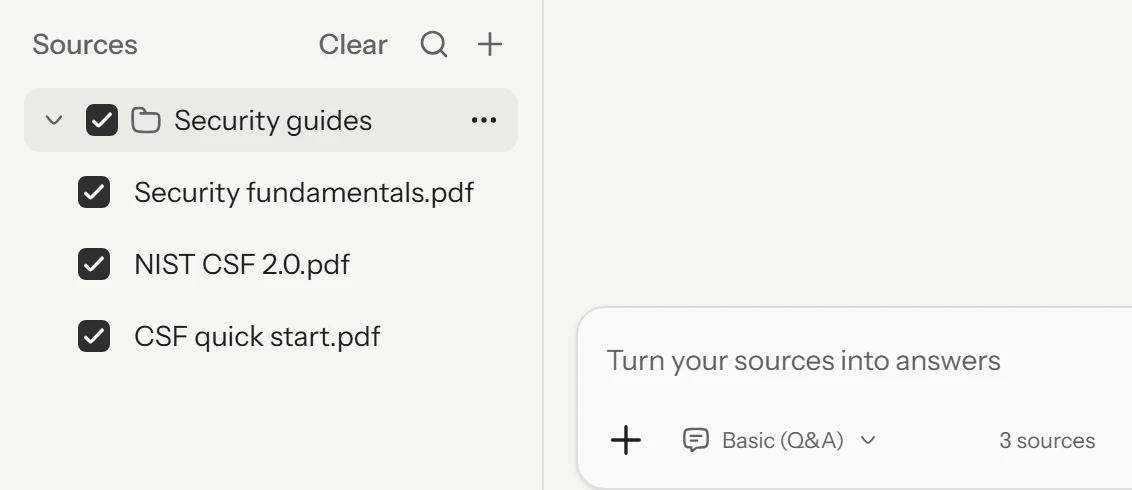
At the top of Sources, Select all ticks everything and Clear unticks everything. Tick a folder to use all of it, including files you add to it later. Untick one source inside a ticked folder to leave just that one out.
Unticking every source leaves the model nothing to cite.
Next
- Ask a question and check its citations.
- Sources covers folders, notes and previews.
Last updated on November 23, 2026